In both projects, the product range came first. The clients could provide product information and set a general colour direction, but they did not have complete page designs, a visual system, or detailed prototypes.
CASE STUDY · WOOCOMMERCE
Two online stores built without finished design mockups
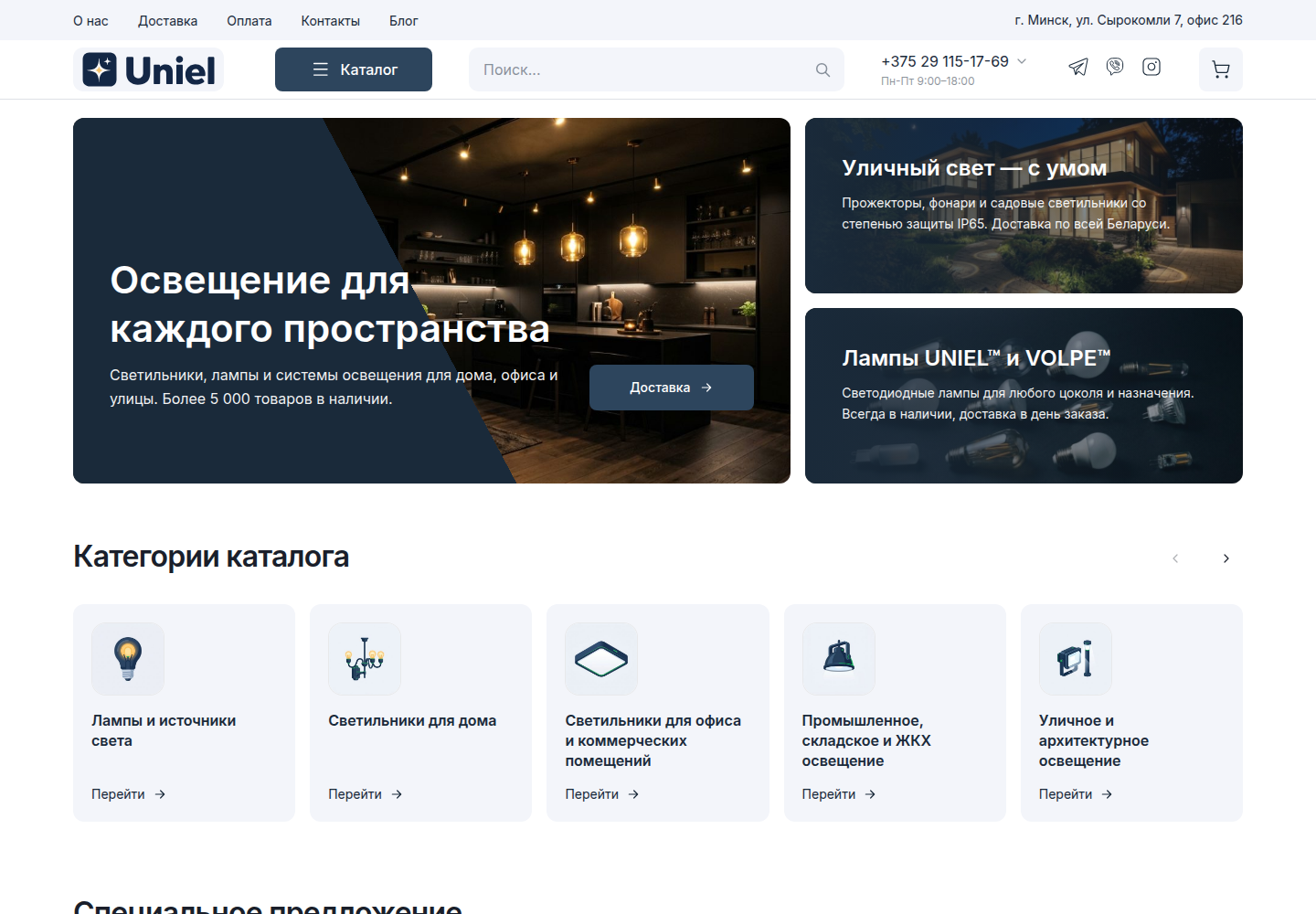
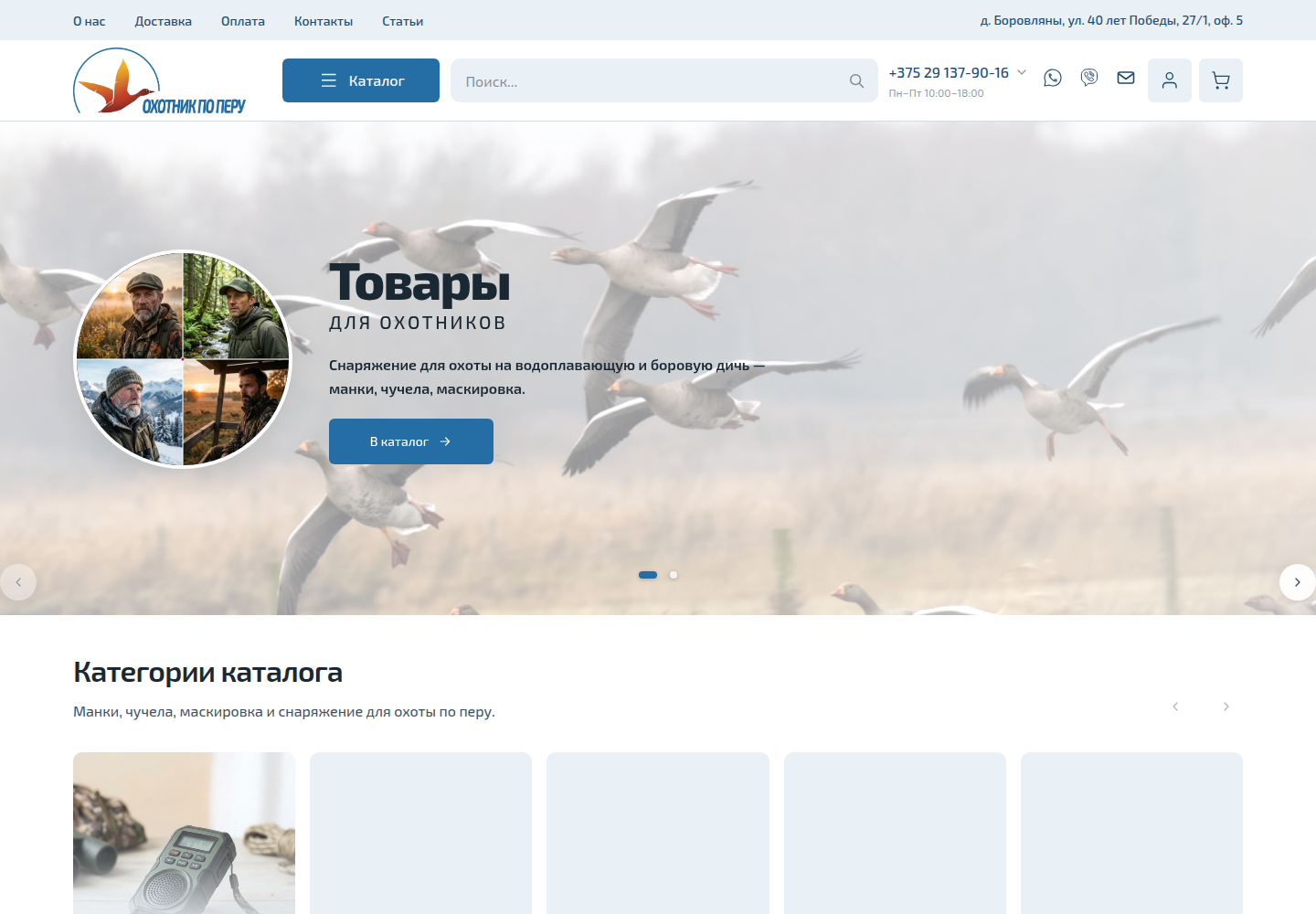
Two companies had product materials and a general idea of how their stores should look, but no finished site structure or page designs. We organised the catalogues, defined the main page types, adapted the visual direction, and developed two live stores with WordPress and WooCommerce.
- Market
- Belarus
- Format
- Two online stores
- Status
- Both stores are live
- Platform
- WordPress and WooCommerce
- Starting materials
- Product data and colour direction
- Our role
- Structure, visual adaptation, and development
THE BRIEF
The clients needed working stores without a lengthy design phase
We had to make the remaining decisions and deliver stores where visitors could browse the catalogue, open a product, add it to the cart, and place an order. A separate branding project was not part of the agreed scope. We first defined what each store needed, then built it with WordPress and WooCommerce.
STARTING POINT
There was no finished design to answer the remaining questions
The available materials explained the products and the business task. The page structure and most visual decisions still had to be resolved during development.
01
Product data
Names, specifications, images, and other available catalogue information.
02
Colour direction
Each client selected the palette the store should follow.
03
Brand materials
A logo or early logo files without a complete visual system.
04
Practical objective
Launch a store that could be used without another mandatory rebuild before opening.
FUNCTIONALITY
We mapped the path from the catalogue to checkout first
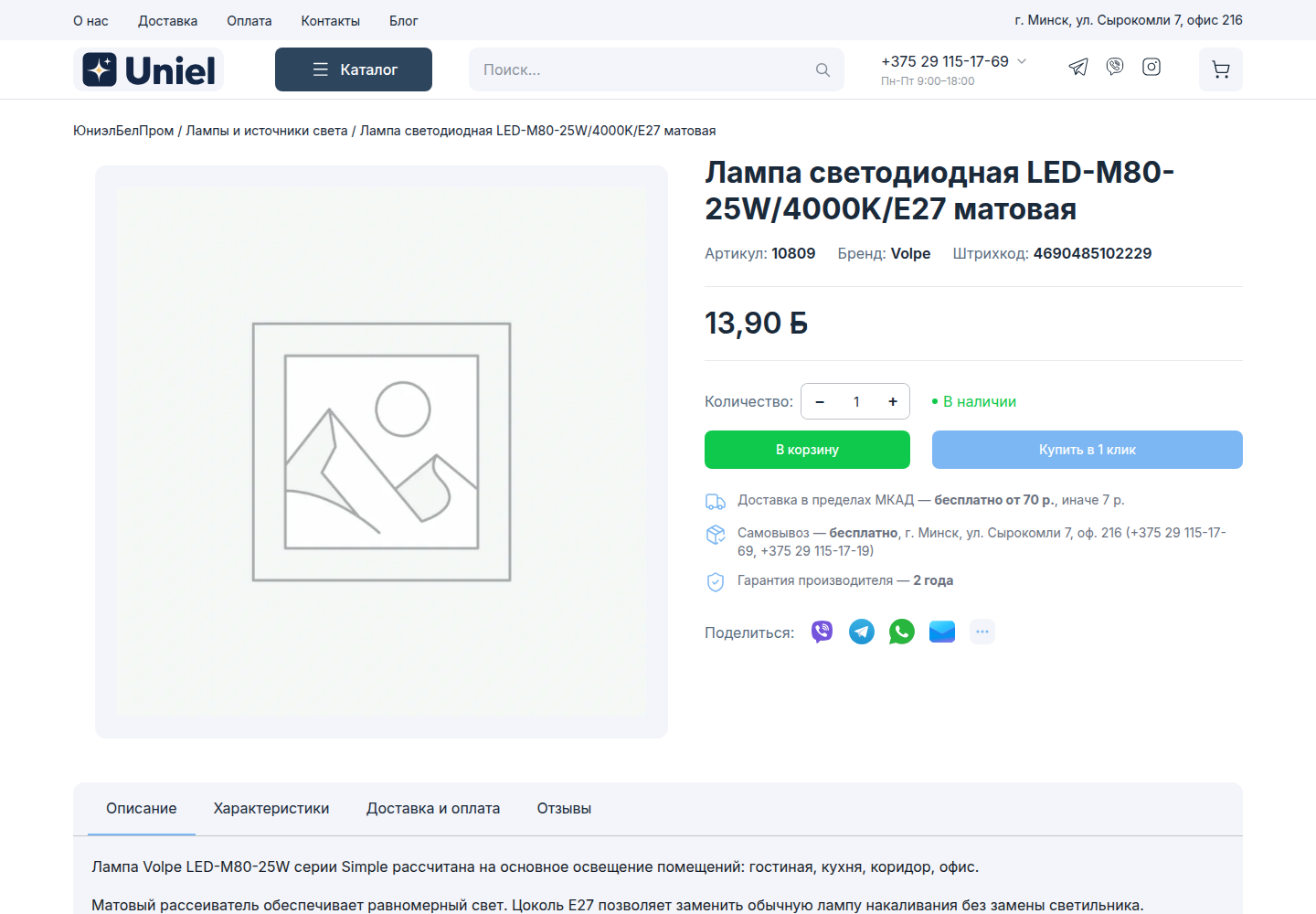
A limited scope still has to cover the basic ecommerce journey. Visitors need to understand the range, find a suitable product, and proceed to an order without gaps between pages.
01
Catalogue
Products are organised around the needs of each range.
02
Product pages
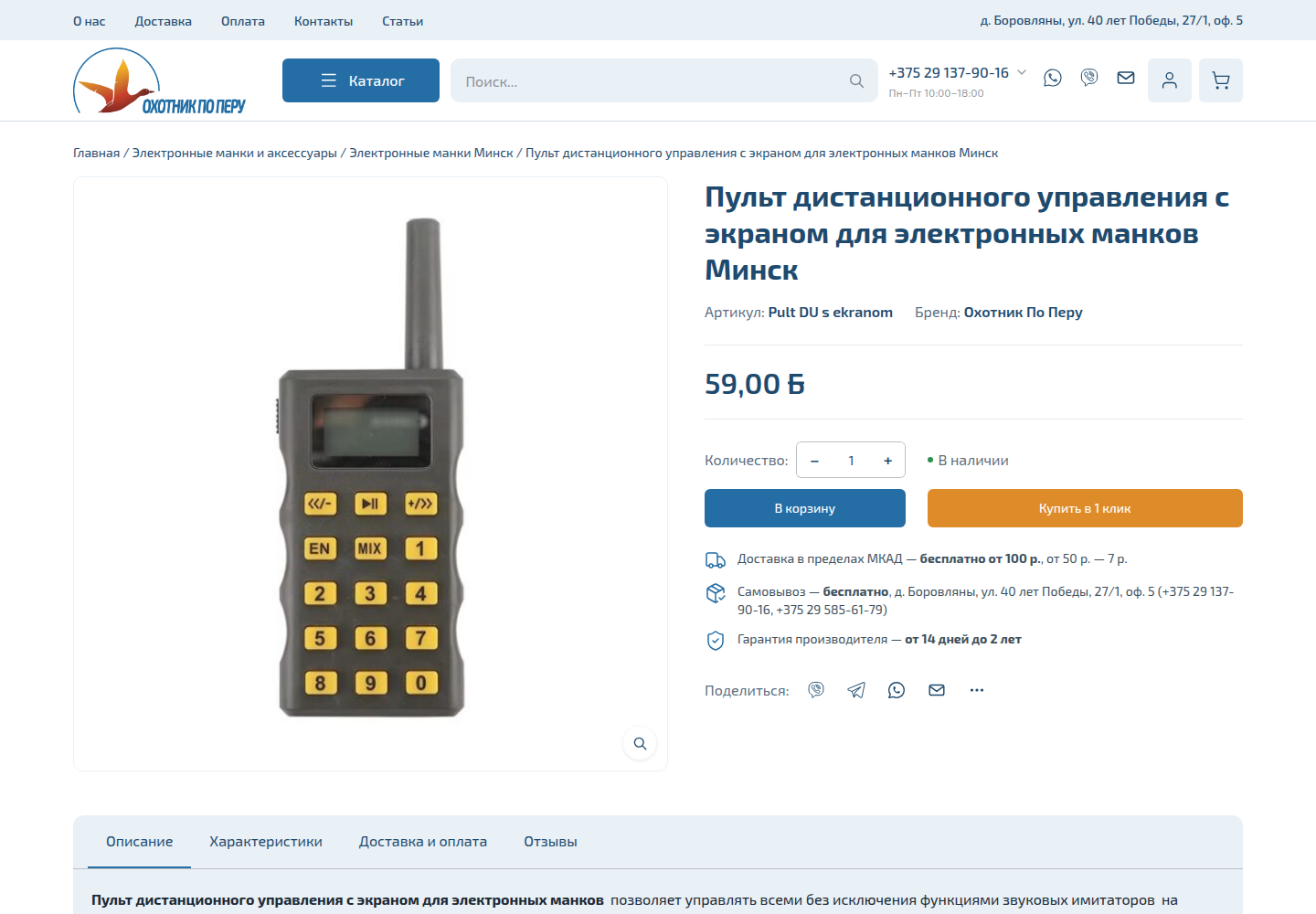
Images, specifications, and selection details have a clear place.
03
Cart
Customers can review and adjust selected products before ordering.
04
Checkout
The store collects the details required to process an order.
05
Account
Visitors have access to the standard WooCommerce customer area.
06
Supporting pages
Payment, delivery, returns, and required policies remain part of the site.
STRUCTURE
Each product range needed its own organisation
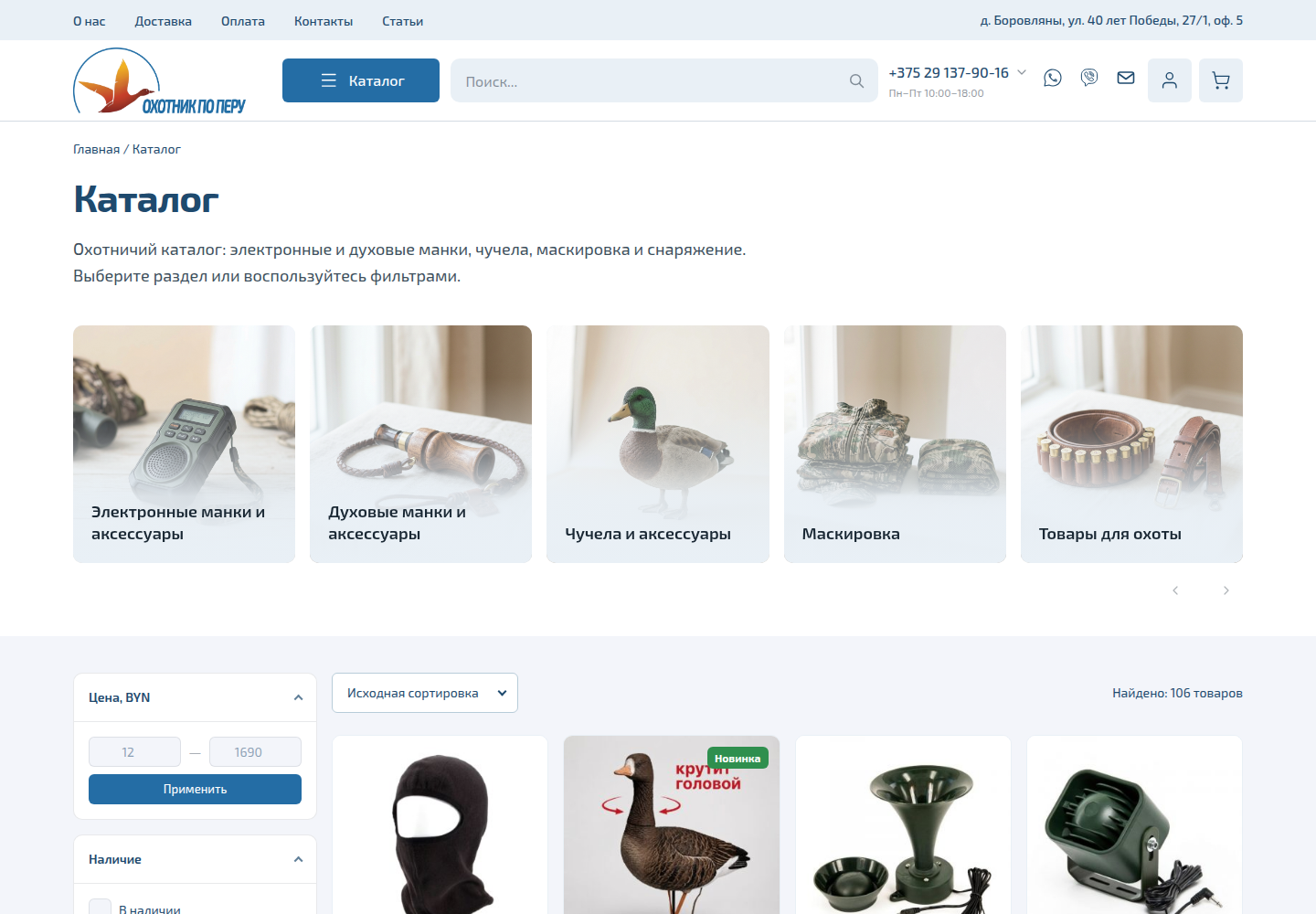
One store sells lighting and electrical products. The other covers hunting equipment, including calls, camouflage, decoys, and accessories. Their categories and product pages could not be organised in the same way.
01
Lighting and electrical products
A compact catalogue centres on a focused product group. Technical details, models, and a clear route to purchase take priority.
02
Hunting equipment
A broader range is divided by purpose and product type. Customers move from a main department to the relevant category and individual item.
VISUAL DIRECTION
The interface was shaped around products and the selected colours
The projects did not include a separate set of design mockups. We used the chosen colour direction, the available brand materials, and the real catalogue content to define the homepage, shop, product pages, and supporting sections.
Products remained the main interface element. Decorative choices could not interfere with browsing, reading specifications, or placing an order. This gave both projects a complete visual treatment without adding a separate, lengthy design phase.
DEVELOPMENT
From product materials to two live stores
The work followed the actual scope of each project. We first defined what customers needed, then assembled the catalogue, shopping journey, and supporting information.
Stage 01
Reviewed the materials
We examined the ranges, available images, specifications, and visual preferences.
Stage 02
Defined the structure
We established the main catalogue sections and page types.
Stage 03
Configured WordPress and WooCommerce
We prepared the product, cart, checkout, and content management foundations.
Stage 04
Adapted the visual direction
We applied the selected colours and organised key pages around real content.
Stage 05
Connected the shopping journey
The catalogue, product pages, cart, checkout, and supporting information became one flow.
Stage 06
Checked and launched
We reviewed the main pages and scenarios on desktop and mobile before publishing both stores.
DEVELOPMENT
From product materials to two live stores
The work followed the actual scope of each project. We first defined what customers needed, then assembled the catalogue, shopping journey, and supporting information.
Stage 01
Reviewed the materials
We examined the ranges, available images, specifications, and visual preferences.
Stage 02
Defined the structure
We established the main catalogue sections and page types.
Stage 03
Configured WordPress and WooCommerce
We prepared the product, cart, checkout, and content management foundations.
Stage 04
Adapted the visual direction
We applied the selected colours and organised key pages around real content.
Stage 05
Connected the shopping journey
The catalogue, product pages, cart, checkout, and supporting information became one flow.
Stage 06
Checked and launched
We reviewed the main pages and scenarios on desktop and mobile before publishing both stores.
LIVE STORES
The main ecommerce pages are present in both projects
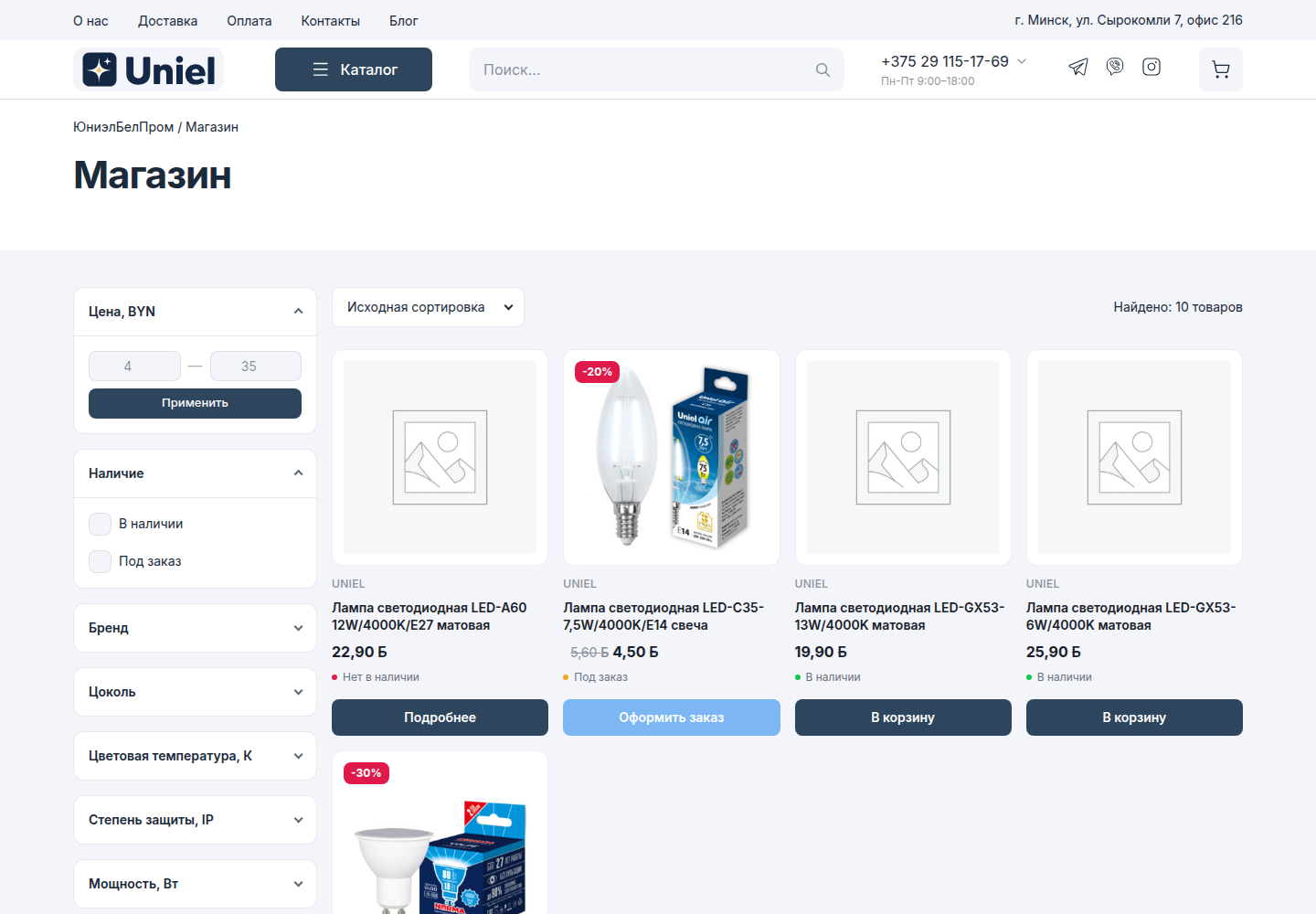
Two companies received live online stores
Both projects launched on WordPress and WooCommerce. Each store includes a catalogue, individual product pages, cart, checkout, customer account, and information about payment, delivery, and returns.
A limited set of starting materials became two accessible websites that perform the job of an online store.
We do not attach unverified sales, traffic, or conversion claims to this work.
RESULT
2live WooCommerce stores
- Platform
- WordPress and WooCommerce
- Catalogues
- different structures for different ranges
- Customer journey
- from product page to checkout
DISCUSS A PROJECT
Need an online store but do not have finished mockups yet?
Show us the product materials and explain how customers should select and order your products. We will define the required structure, propose a suitable development scope, and identify any functions that need individual implementation.
WHAT WE DID
Services related to projects like these
- Website Development ServicesWe build new websites and rework existing ones: structure, content, WordPress or Next.js development, integrations, launch preparation, and a sound foundation for search.
- WordPress Website DevelopmentWe build new and improve existing WordPress websites, from structure and reusable templates to WooCommerce, integrations, content, and launch.
- WordPress Customization ServicesWe modify existing WordPress websites: themes, plugins, WooCommerce, integrations, calculators, booking flows, and customer accounts. The current implementation is reviewed before scope and price are confirmed.